Adding patients
To add pregnant patients, you first need to export them from the system you currently use to store and manage pregnant patients.
A CSV file is a plain-text format that makes it easy to transfer table-based data from one system to another.
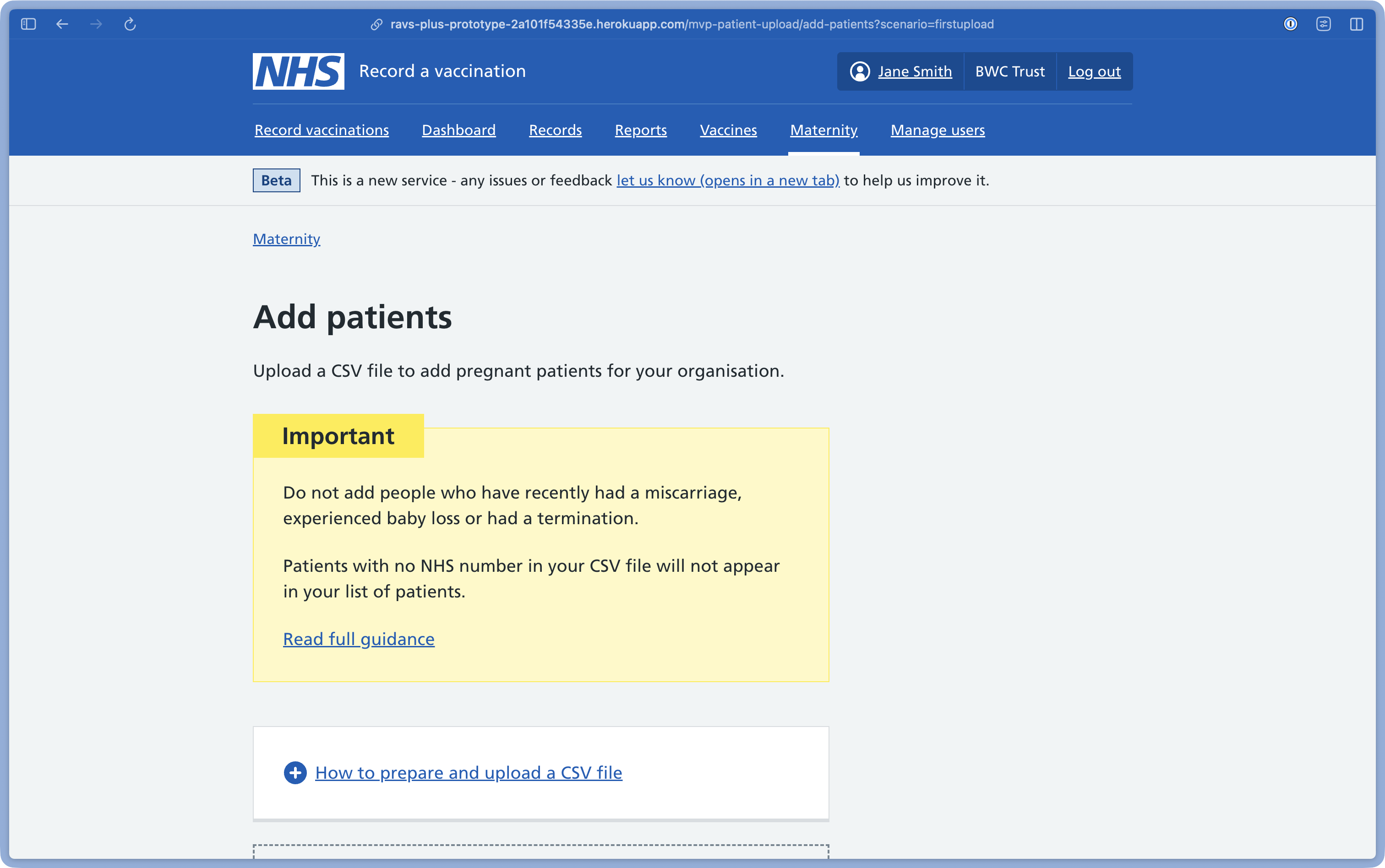
Preparing a CSV file
You must export patient information as a CSV file that includes a header row followed by data rows.
The header row must include just two columns in the following order: NHS number, Due date.
You must use a UK format for all due dates.
For example:
NHS number, Due date
1234567890, 27/04/2026
0987654321, 11/12/2026
You do not need to include any other patient information in your exported file. If you add any other columns, the file will fail to upload.
Unless you are very comfortable working with CSV files, we recommend you do not edit the CSV file before you upload it to RAVS.
It is your responsibility to make sure the patient data is accurate.
Miscarriage, baby loss and termination
Do not add people who have recently had a miscarriage, experienced baby loss or had a termination. The service currently has no way of knowing and displaying this information.
Patients flagged as sensitive or who have died
We recommend you do not upload patients flagged as sensitive or who have died.
These patients will not appear in your list of patients alongside any vaccination information. Instead, they will appear on a separate page called ‘Import issues’ with a note to say why they are there.
If a patient who is already in your list of patients is then flagged as sensitive or dies, they will move to the ‘Import issues’ page when the information in the service updates overnight.
However, if a patient has a sensitive flag removed, they will not currently move from the ‘Import issues’ page to your list of patients.
If a patient has no NHS number
Patients in your CSV file that do not have an NHS number will not appear in your list of pregnant patients in RAVS.
This is because we cannot find and match a patient’s vaccination information without an NHS number.
Why a file might fail to upload
In this first version of the service, your CSV file will fail to upload if:
- there are more than two columns
- the ‘Due date’ column is before the ‘NHS number’ column
- there is a comma after the ‘Due date’ column
- there is more than one comma between the ‘NHS number’ and ‘Due date’ column headings
- there is a duplicate NHS number with different due dates
If your CSV file fails to upload, check for these common issues. You can make changes to the file or export a new file from your existing system.
If you continue to have problems uploading a file, contact our team for support.
After uploading a CSV file
When you upload your CSV file, we check and match the vaccination information we currently hold about your patients.
It may take several hours to carry out this check.
You may want to upload files at the end of the day, so that your list of patients is ready in the morning.
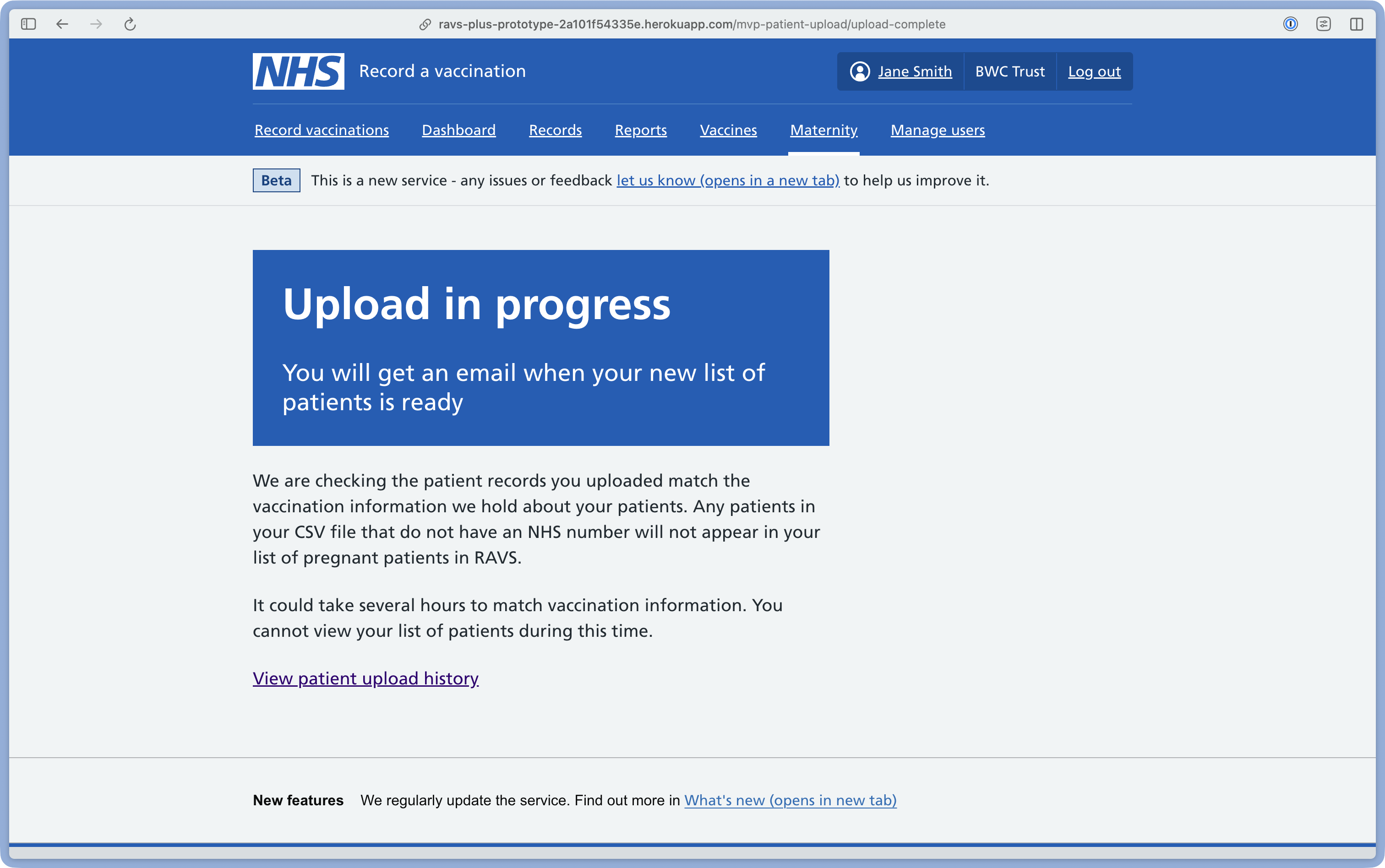
You will receive an email when the check is complete. The email will tell you that your list of patients has been imported and is ready to view.
The email will only be sent to the person who uploaded the CSV file to add patients, not to everyone in your team.
Replacing a list of patients
You can only ever have one list at any time for your Trust. This means you need to upload a new CSV file to replace and update the patients on your list.
Follow the same process and upload a new CSV file to replace a list of pregnant patients.
Before completing a new upload, you will be asked to confirm that you want to overwrite your previous list.
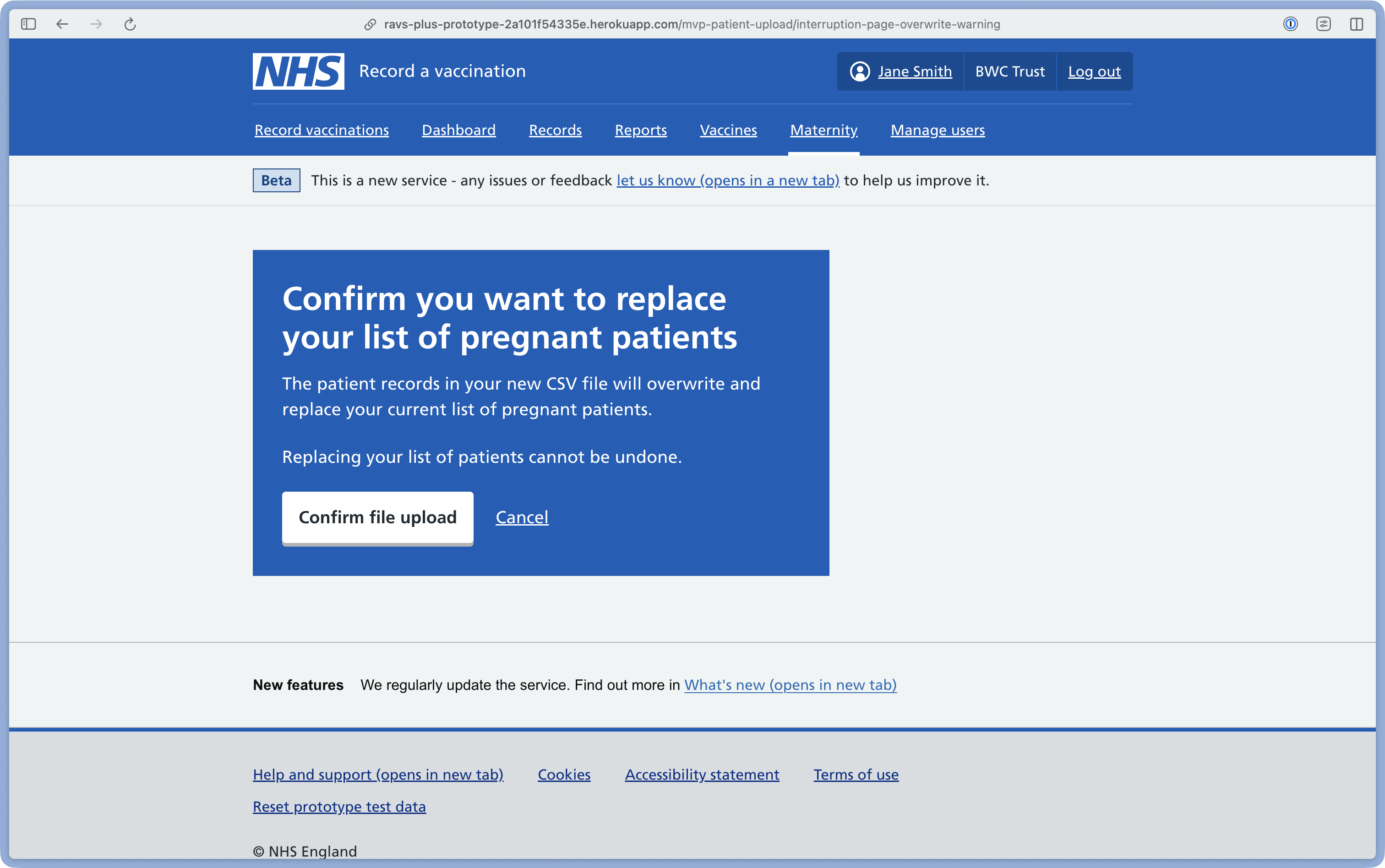
You will not be able to view your previous list of patients while your patients are being checked and matched.
We recommend you regularly upload a new file to make sure your list of patients is up to date.