Viewing patients
Your list of patients allows you to see personal details for each patient alongside their eligibility status for RSV and pertussis.
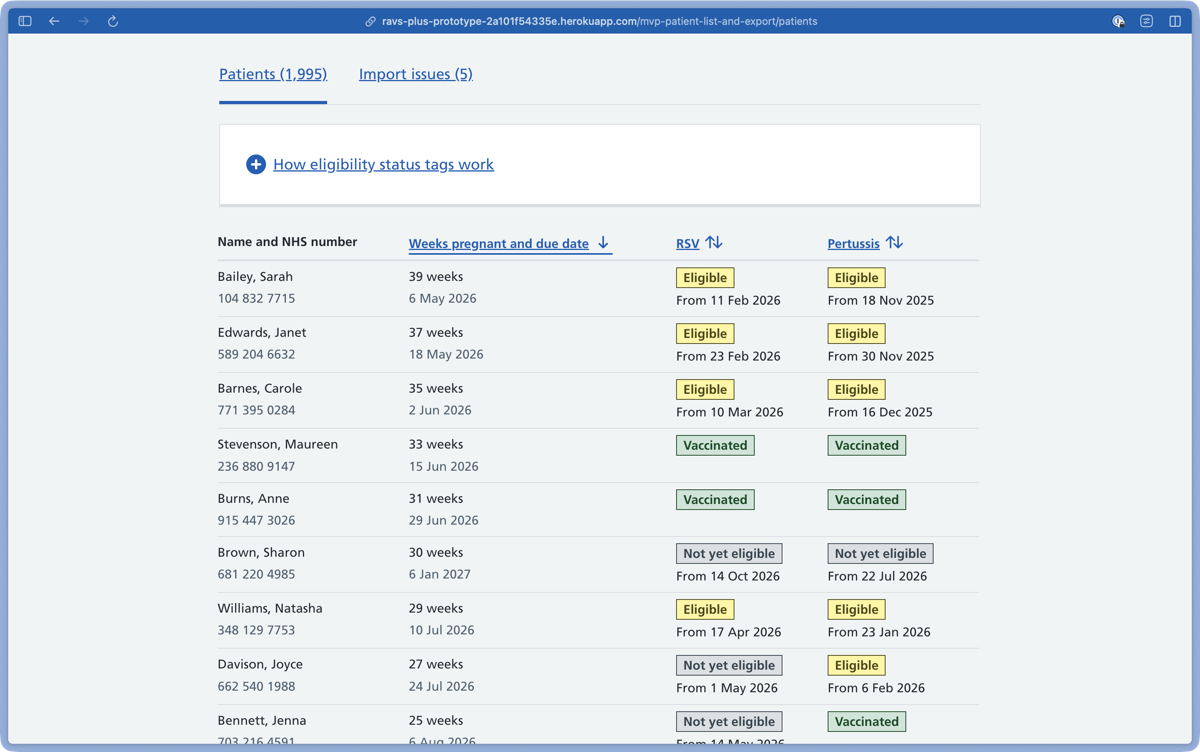
How patient data updates
Patient data updates automatically overnight, but not in real time.
For a patient’s eligibility status to change overnight, their vaccination must be recorded in RAVS or a GP system.
As time passes, the number of ‘weeks pregnant’ will also update automatically for each patient.
Patients are not automatically added to or removed from your list. To change who is on your list, you will need to upload a new CSV file.
Eligibility status tags
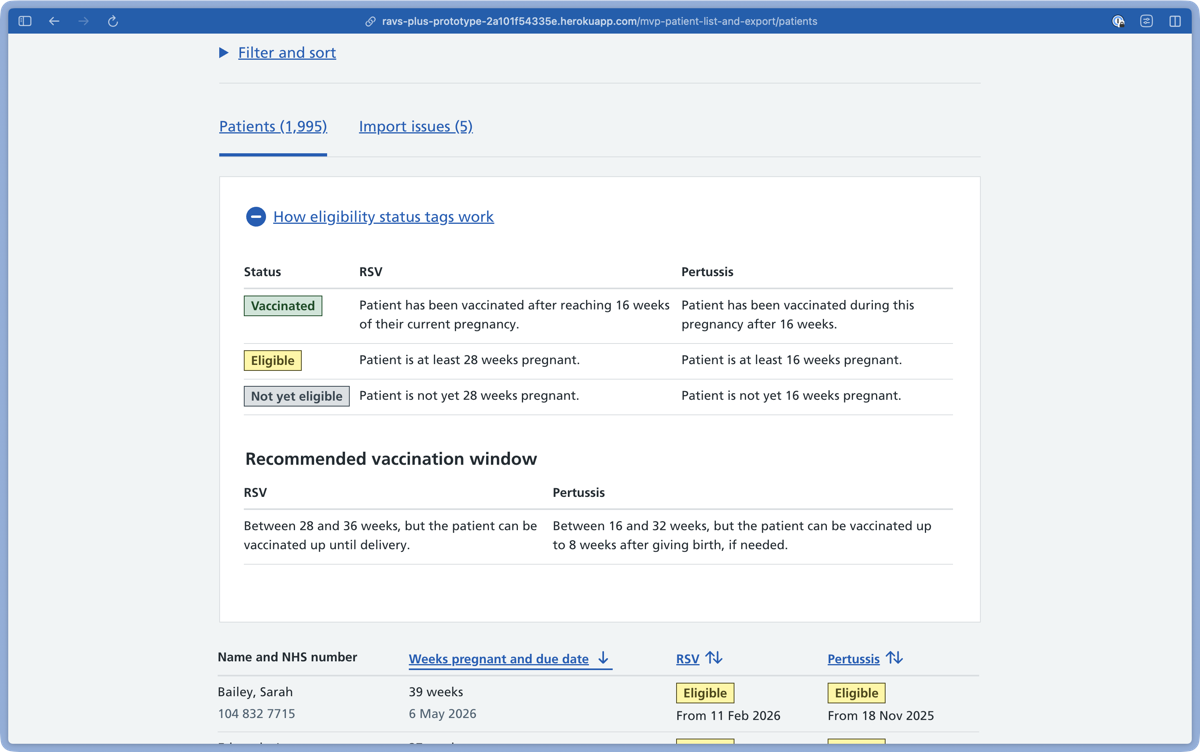
There are three eligibility status tags:
- Vaccinated
- Eligible
- Not yet eligible
If you select ‘How eligibility status tags work’, you can see a key that explains what each status tag means.
Import issues
Select ‘Import issues’ to see any problems we’ve found with the imported patient data.
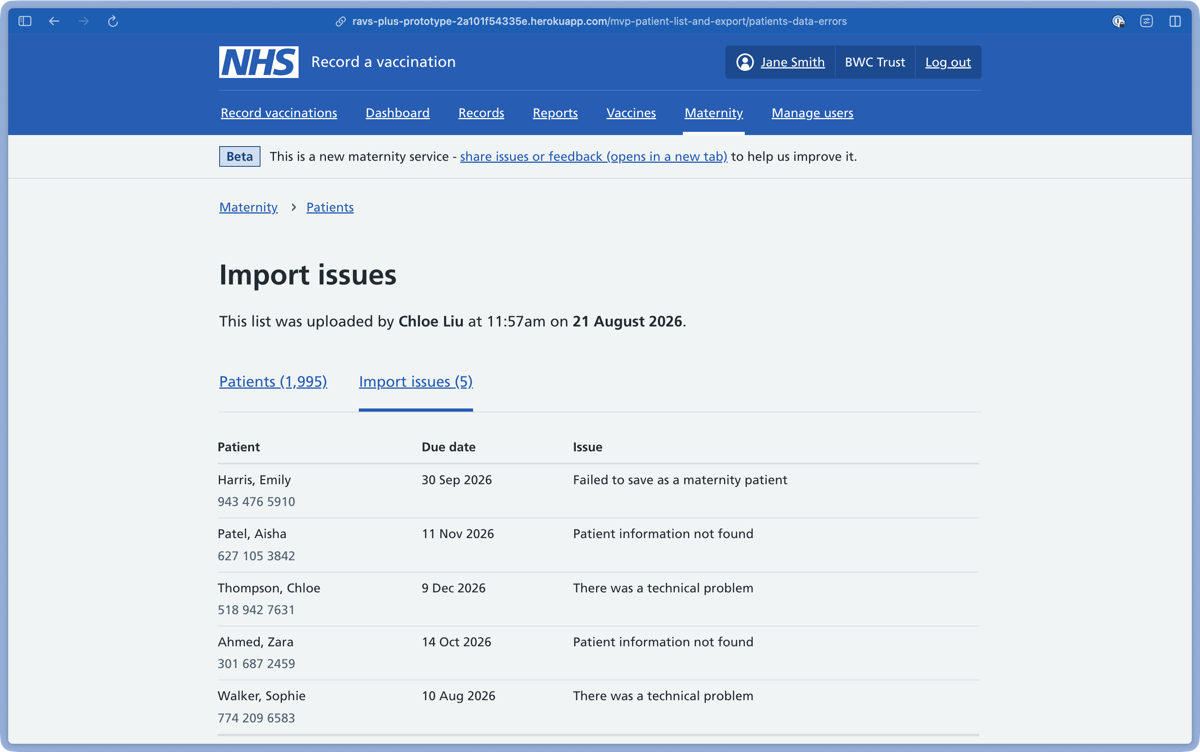
A patient will appear in ‘Import issues’ if:
- they have no due date
- they have died
- they have been flagged as sensitive
- their NHS number is superseded
You can ignore the patients in your ‘Import issues’ list or upload a new CSV file to replace your list.