Exporting patients
You can export either a full or filtered list of patients as a new CSV file.
If you have filters applied, you will see how many patients are on that filtered list and what filters are active. You can then choose to export either the filtered or full list.
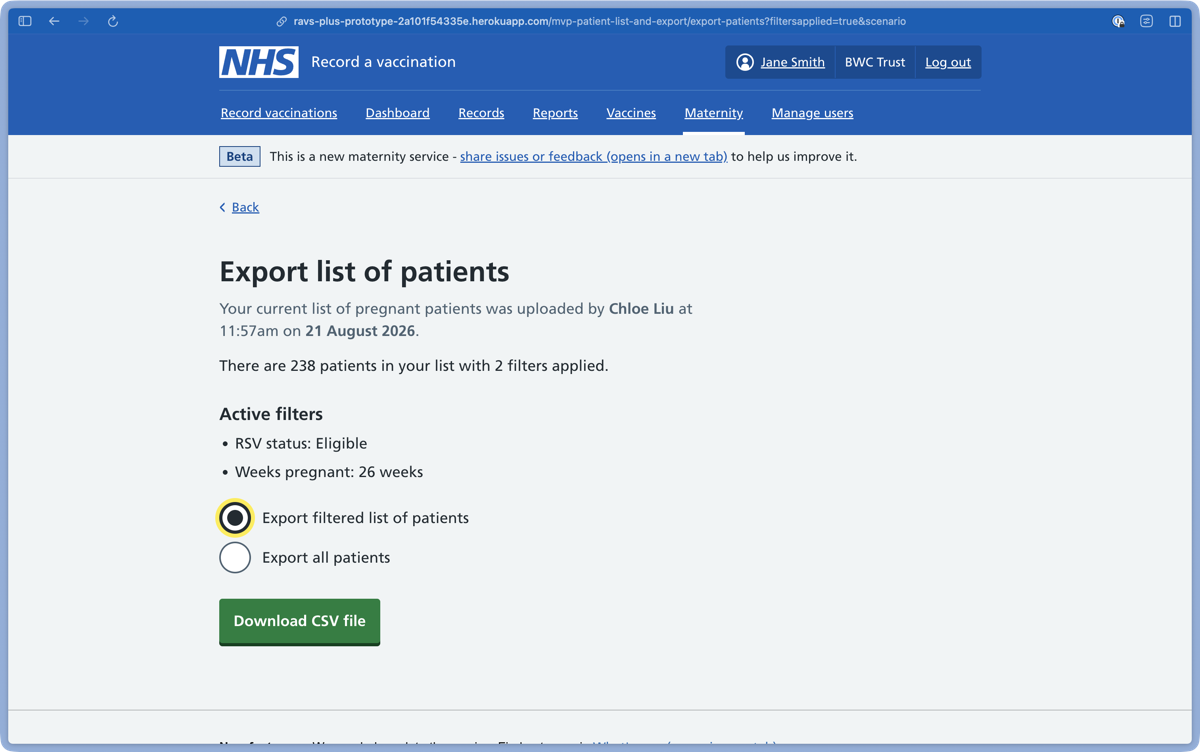
If there are no filters applied to your list, you will instead see confirmation that you are about to export all your patients.
For each patient, your exported file will include:
- Patient name
- NHS number
- Date of birth
- Due date
- Weeks pregnant
- RSV eligibility date
- Last RSV vaccination date
- Pertussis eligibility date
- Last pertussis vaccination date
- GP practice ID
- Postcode
Exporting this patient information will allow you to move it to a different system. For example, you might import it to a system that allows you to send invitations.
You can also use your exported file to do further reporting or data analysis.